On 10 November 2026, OpenAI opened Businesses in ChatGPT in beta. Businesses can now claim the profile ChatGPT shows for them, correct its details and see how often ChatGPT mentions them. None of the guides we read in launch week mention Australia, and the rules aren’t the same everywhere.
We claimed the Webhaus profile from Sydney two days after launch. Here’s how to claim your business in ChatGPT from Australia, who can do it today, and what it does and doesn’t change.
How do you claim your business in ChatGPT? Sign in to ChatGPT, open Business Hub from the sidebar and search for your business. Choose it, or add it if you run an eligible online business. Then verify by business phone, business email, a DNS record on your website’s domain or a Shopify store. OpenAI reviews the claim and emails you, then asks for an identity check.
In this guide
- Who can claim a business in ChatGPT from Australia
- How to claim your business in ChatGPT, step by step
- The DNS record: where most claims stall
- What claiming changes, and what it doesn’t
- What this means for AI search
- If you can’t claim yet
Who can claim a business in ChatGPT from Australia
OpenAI’s launch post says “any eligible business located where ChatGPT is available” can claim through Business Hub. Australia is on ChatGPT’s list of supported countries. But the Business Hub help article adds that availability “depends on the business’s location and type”, and that matters here.
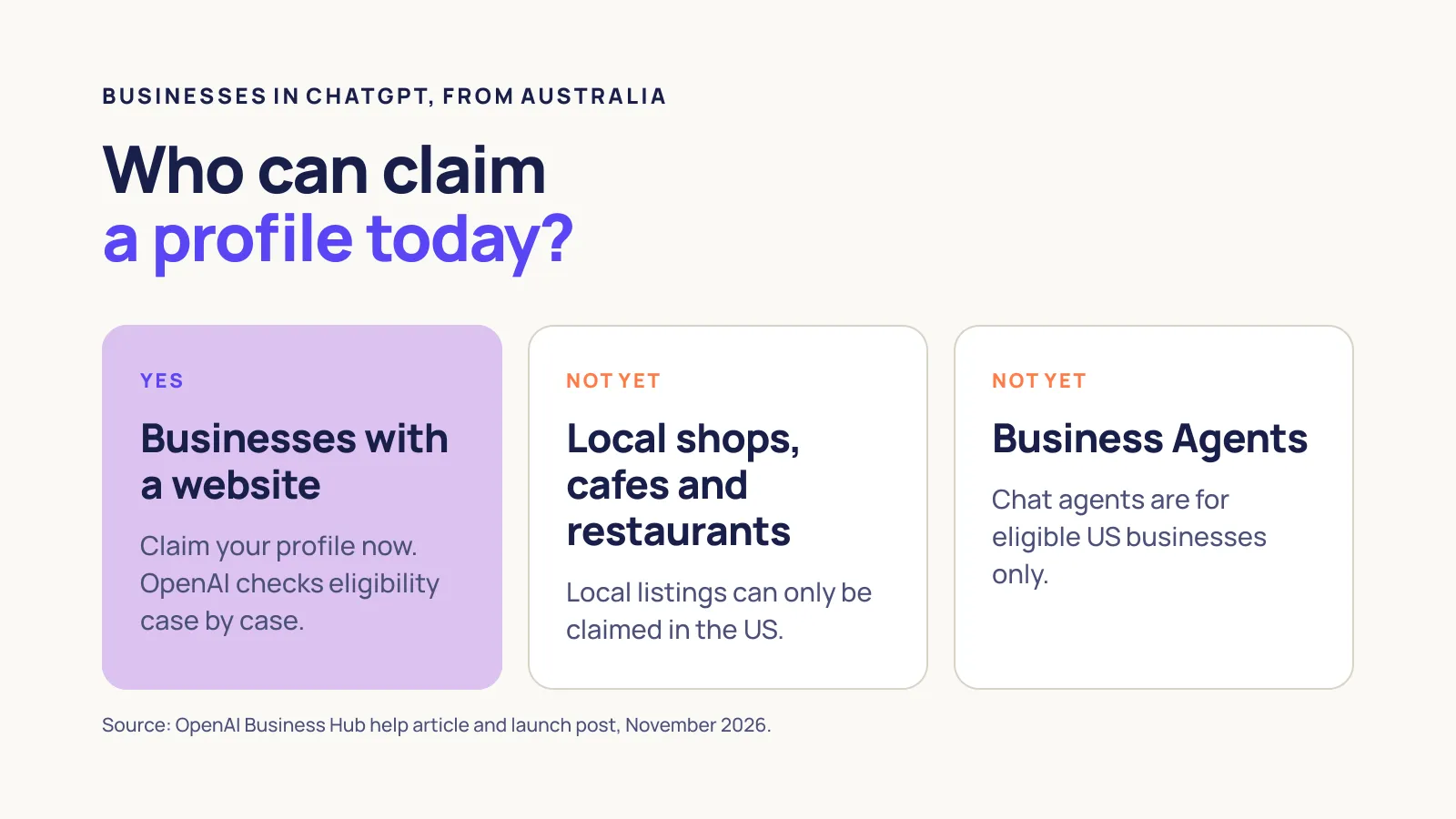
| Your business | What you can do today |
|---|---|
| A business with a website | Claim your profile. Eligible online businesses can add one if it isn’t listed |
| A local shop, cafe or restaurant | Nothing yet. Local listings can only be claimed in the US |
| Wanting a Business Agent that answers customers | Not yet. Agents are for eligible US ecommerce and online service businesses |
OpenAI says claiming is “initially available to eligible businesses with a website”. Webhaus is a Sydney service business with a website, and our claim went through. If your business has a website, it’s worth checking Business Hub now. OpenAI checks each business’s eligibility, so the only way to know is to try.
How to claim your business in ChatGPT, step by step
- Use the right account. Sign in to ChatGPT with an account the business will keep. OpenAI says the admin who claimed the business is the one who can add teammates or give an agency access later.
- Open Business Hub. It’s in the ChatGPT sidebar. Search for your business by name and choose the right listing. If you run an eligible online business and it isn’t there, you may see an option to add it.
- Pick a verification method. OpenAI offers business phone (a text or automated call), business email (a code sent to the address linked to your business), website domain (a DNS record) or Shopify.
- Wait for review. OpenAI checks the claim and emails you its decision.
- Pass the identity check. Before you can publish changes or see insights, OpenAI asks you to verify through Persona. The help article says you may need government ID, business registration details and proof that you’re authorised to act for the business.
That last step has a detail Australian owners should get right. OpenAI’s help article says to make sure the business name, address and any registration or tax number you give match your official records. Our advice: use your name exactly as it appears on ABN Lookup, not a shortened version.
The DNS record: where most claims stall
We verified Webhaus with a DNS record, which is the best option if your phone number or email isn’t the one ChatGPT has on file. The help article only says to “copy the type, name or host, and value exactly” and that DNS changes may take time. In practice, three things caught us out.
The name field. ChatGPT showed the host as openai-business-profile.thewebhaus.com.au. Our DNS is on Cloudflare, which adds the domain for you, so the name we typed was just openai-business-profile. Typing the full name into a panel that adds the domain gives you openai-business-profile.yourdomain.com.au.yourdomain.com.au, and the check fails. Look at an existing record in your DNS panel to see which style it uses.
The value. The value is a long string of random letters and numbers. In OpenAI’s font, a capital I and a lowercase l look identical, and ours had both. Use the copy button next to the value, never retype it.
The clock. The screen showed an expiry time for the record, and ours expired the same day. Add the record as soon as you see it, then wait a few minutes before pressing “Check again”. If the time runs out before the check passes, go back and start the domain check again.
To see if your record is live before you check, run a TXT lookup on the full host name with a free tool like Google’s Dig tool. If the lookup shows your value, the record is live, though ChatGPT’s check can still take a few more minutes to see it.
What claiming changes, and what it doesn’t
Once you’re verified, you can edit the details ChatGPT shows: your website, business description, product or service category, logo, cover photo, and delivery and return policies. OpenAI reviews changes before they go live. You also get insights covering the past 28 days, including how often ChatGPT mentions you and how many people click through to your site.
Two things to know about those numbers. For an online business, a mention only counts when ChatGPT references your website; the help article says “the brand name alone doesn’t count”. And figures only appear once there’s enough activity, so a blank metric doesn’t mean nobody asked about you.
What claiming won’t do is move you up. OpenAI says “claiming does not guarantee higher placement or sales”, and the help article adds that claiming “doesn’t change its visibility in ChatGPT”. It also says advertising doesn’t influence ChatGPT’s independent answers. Anyone selling a claimed profile as a ranking boost is promising something OpenAI says it doesn’t do.
Your profile also isn’t the only thing ChatGPT reads. OpenAI’s policy for business profiles says profiles “may also include information from other sources”. If your website, directory listings or reviews say something different, ChatGPT can still repeat it.
What this means for AI search
Until now, ChatGPT built its picture of your business from what it found on the web: your website, directories, reviews and articles. Business Hub adds a profile you control, a bit like a Google Business Profile does for Google. It doesn’t replace the rest. OpenAI says profiles can still include information from other sources, so the facts on your website still matter as much as they did last week.
The bigger change is measurement. Until now, the only way most businesses could estimate how often ChatGPT named them was to rerun prompts or pay for a tracking tool. Business Hub gives you OpenAI’s own count of mentions and website clicks over 28 days. Those numbers will be small and patchy at first, but they’re the first figures from the source itself.
What hasn’t changed is how ChatGPT chooses who to recommend. OpenAI says it “continues to make independent recommendations and comparisons”, and that neither claiming nor advertising changes that. Getting named still comes down to the same work as AI SEO: clear answers on your site and the same facts everywhere your business appears.
If you can’t claim yet
If you run a local shop, cafe or restaurant, you can’t claim a local listing in Australia yet. OpenAI says it plans to expand to more markets and business categories, but hasn’t said when. ChatGPT can still describe your business in the meantime, using what it finds elsewhere.
So the work is the same as for any AI answer: make sure every place your business is described says the same thing. Check your website’s contact and services pages, your Google Business Profile and directories like Yellow Pages and TrueLocal. Then ask ChatGPT about your business and see what it gets wrong.
FAQs
Does it cost anything to claim your business in ChatGPT?
OpenAI’s pages don’t list a fee, and you don’t need an Ads account or a ChatGPT Enterprise agreement to claim. Advertising on ChatGPT is a separate product. As it’s a beta, check the terms shown when you claim in case that changes.
Will my profile get a blue tick?
Yes, but not straight away. OpenAI’s help article says claiming alone doesn’t add the verified badge; it appears after your Persona identity check is approved. OpenAI’s product page describes it more loosely, so expect the tick after the identity check, not after the claim.
Can an agency claim our business for us?
It’s better if someone at your business claims it and then gives the agency access. OpenAI says the admin who claimed the business can add teammates and grant an agency access in Business Hub. That way you keep control if you change agencies.
Can I delete my ChatGPT business profile?
Not once it’s published. The help article says OpenAI Support can’t delete, unpublish or hide a published profile as part of a setup or ownership request. You can still correct its details once you’ve claimed and verified it.
Next steps
Ready to talk? If you want to know what ChatGPT says about your business today, get in touch and we’ll check it for you and show you what to fix.
Comparing options? See what’s included in our SEO services, including AI search.
Still learning? Read what AI SEO is, and what changes from normal SEO.
If your business has a website, claim your business in ChatGPT this week, so the details ChatGPT shows are the ones you’ve checked.